Map the repetitive conversations
We identify the questions, channels, and queue pressure creating the most work for your customers and team.
AI customer support automation
Craft AI Labs builds AI customer support assistants for small businesses that need faster replies across website chat, WhatsApp, social media, and email. The assistant handles approved routine questions, captures the details your team needs, and routes complex conversations to the right person.
Incoming customer request
A team member needs to confirm live appointment availability.
Support should feel responsive, not automated for its own sake.
Customers often need quick answers about availability, bookings, delivery, policies, or services. An AI customer support assistant gives them an immediate next step while your team handles conversations that need judgment.
The assistant answers common questions and collects details for bookings, orders, quotes, or support requests, including outside working hours. Urgent, unclear, sensitive, or decision-based requests reach your team with relevant context.
This is not a generic website chatbot. We design the response rules, information sources, customer-support workflow, and handoff around the way your business serves customers.
A clear customer-support workflow
Routine customer questions follow a defined route. Requests that need experience or judgment reach a person with useful context already attached.
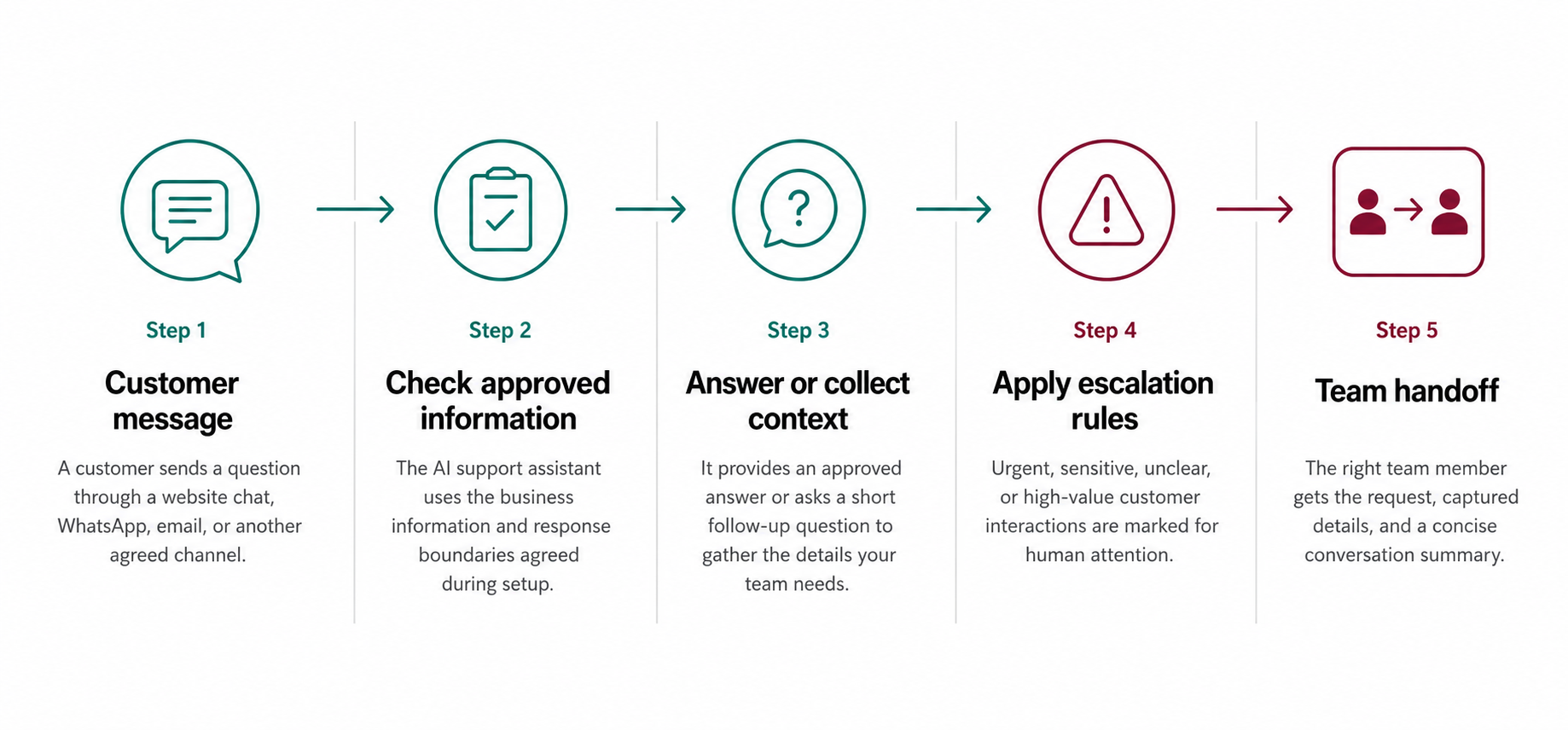
Automation handles the repeatable path. Your team keeps control when a customer needs judgment.
What it can handle
We map the customer questions that create the most manual work. Then we define which requests the assistant can answer, which details it should collect, and which conversations must reach your team.
Answer repeat questions about products, services, hours, availability, delivery, pricing guidance, and policies using information your business has approved.
Collect the details needed for appointments, rescheduling, quotes, and service enquiries before your team takes over.
Provide a consistent first response across website chat, WhatsApp, social media, email, and the communication channels your customers already use.
Route urgent, unclear, sensitive, or high-value requests to the right person with the customer details and conversation summary already captured.
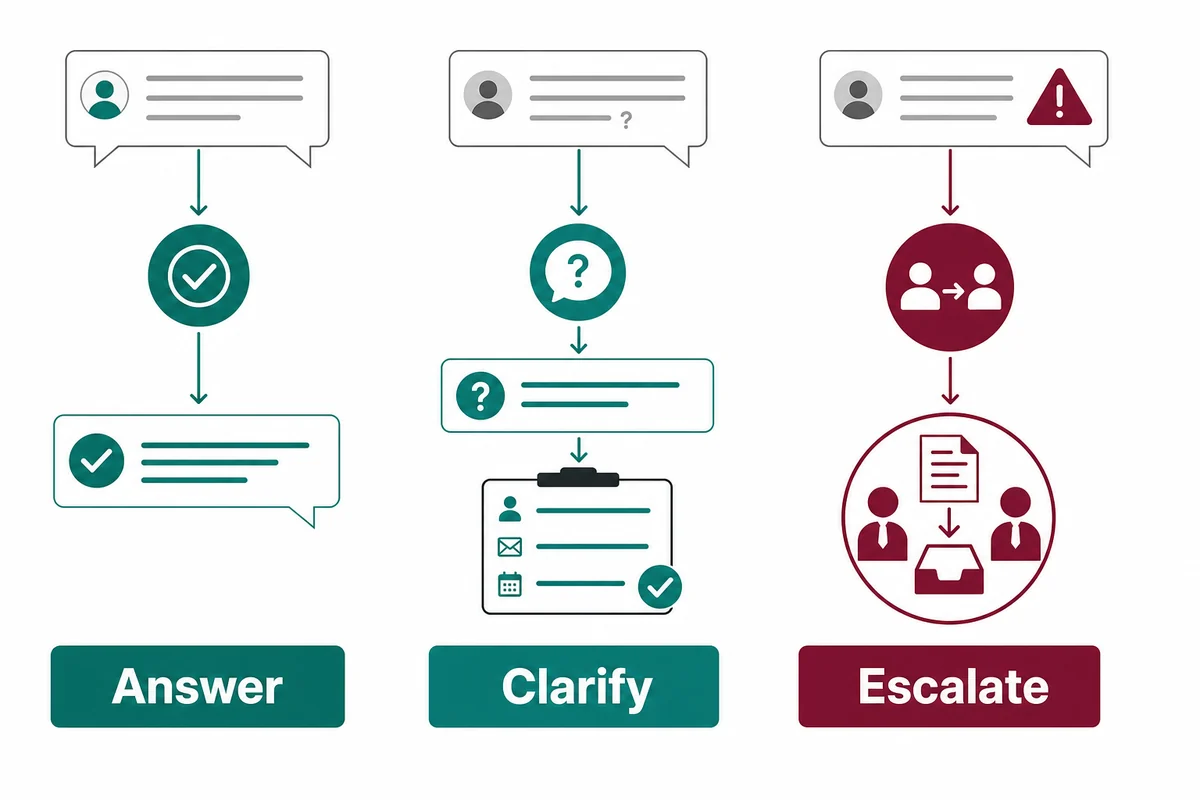
Three response paths
A routine question can receive an approved answer. An incomplete request prompts one useful follow-up. Sensitive, urgent, or uncertain conversations move to a person instead of forcing an automated response.
Designed around approved information
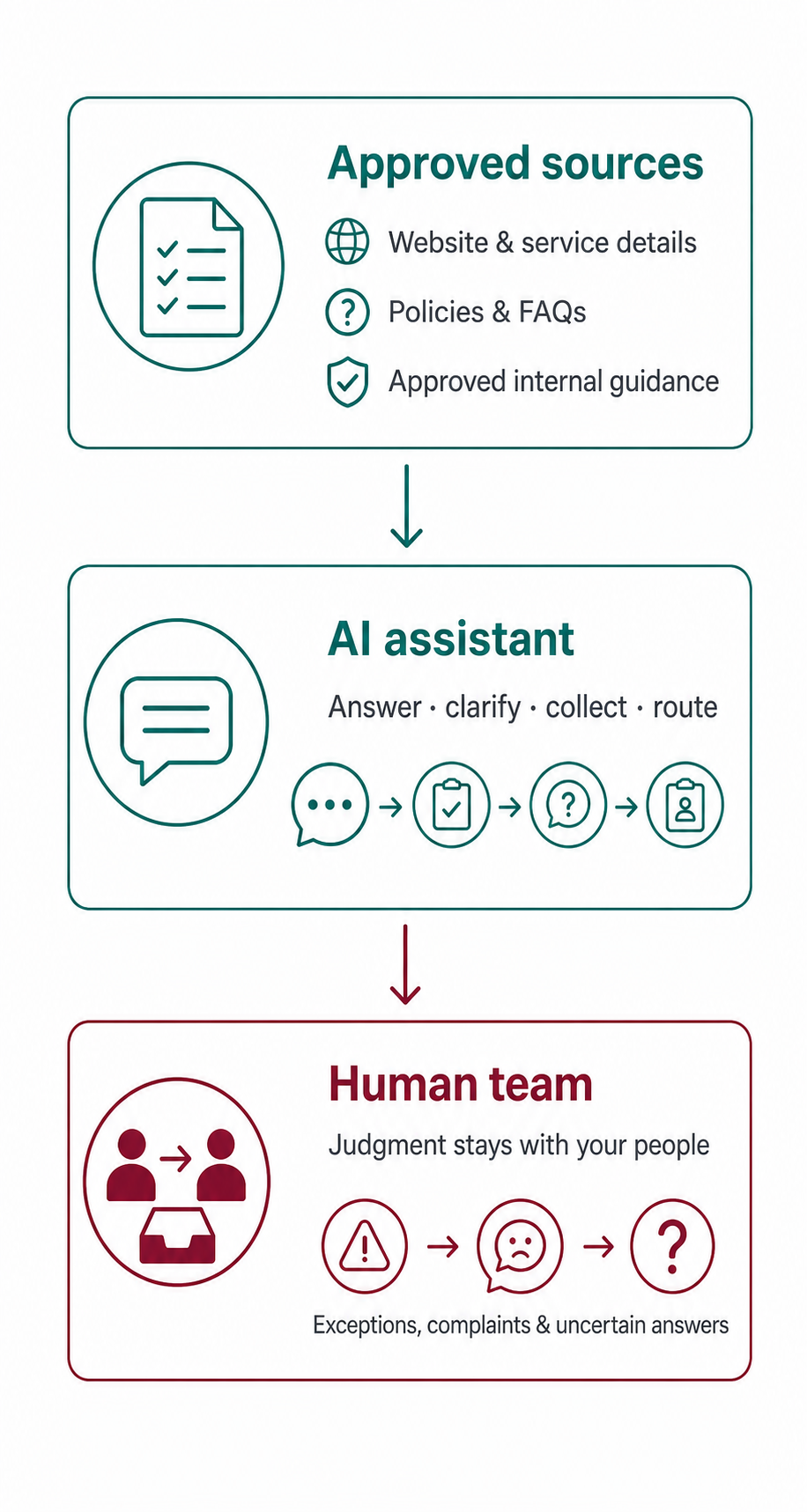
Your team controls complaints, exceptions, regulated advice, and conversations without a confident answer. The AI support assistant works from selected website pages, service details, policies, FAQs, and approved guidance.
Clear boundaries make each customer interaction more trustworthy. The assistant knows what it may answer, which details to collect, and when to step aside so a person can make the decision.
How we build it
We identify the questions, channels, and queue pressure creating the most work for your customers and team.
We define trusted source material, your tone of voice, and clear escalation rules for sensitive or uncertain requests.
We route enquiries to the relevant inbox, CRM, calendar, sheet, booking tool, or team member.
We review routine, incomplete, urgent, sensitive, and unclear messages before launch.
We refine approved answers, routing rules, and knowledge gaps as your customers and team use the workflow.
What the project includes
We build and test a complete support workflow around your business information, communication channels, response standards, and team responsibilities.
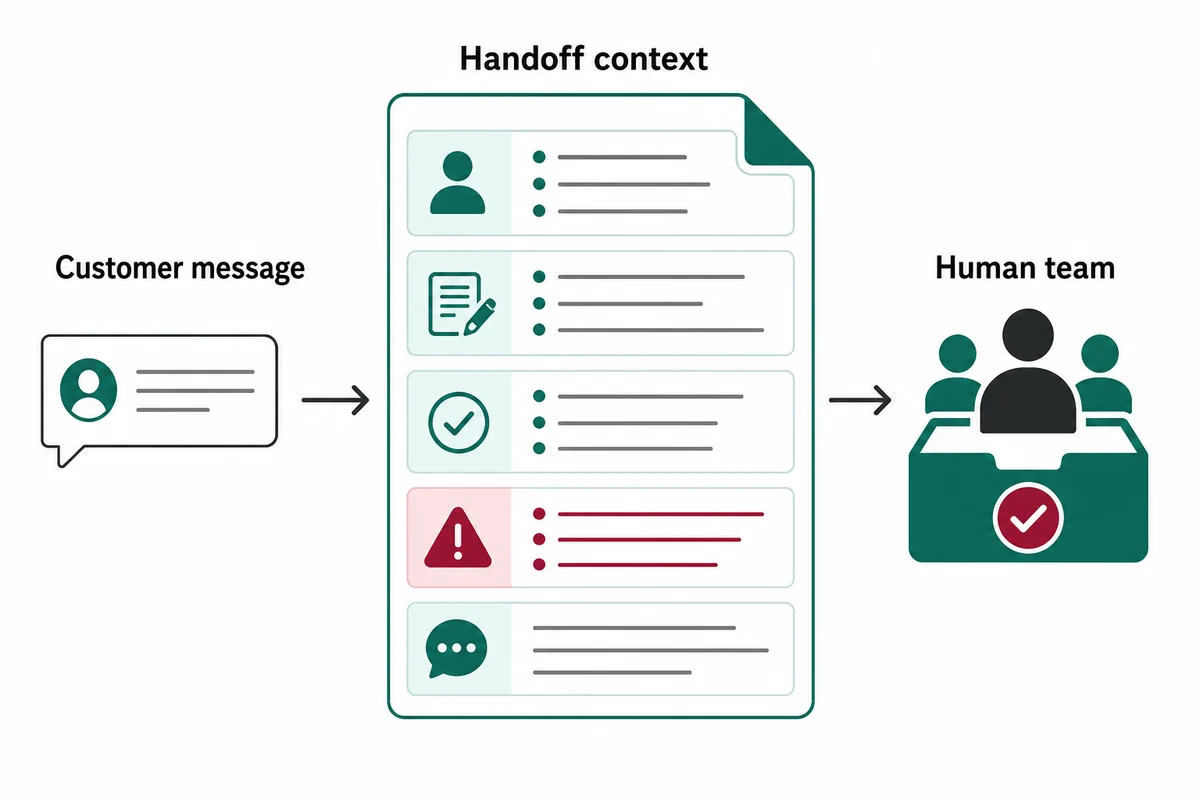
A useful human handoff
The handoff can include the original message, customer and request details, information already provided, the escalation reason, and a concise conversation summary. Your team can continue from context instead of asking the customer to begin again.
A practical fit for busy teams
This service suits e-commerce stores, clinics, restaurants, travel agencies, and service businesses with frequent messages or missed inboxes. It also helps teams that copy details between chat, email, booking tools, calendars, or a CRM.
Questions teams ask
Yes, when it uses approved business information and clear response rules. We define when the assistant may answer, ask a follow-up question, or hand the conversation to a person.
Yes. We scope the assistant around website chat, WhatsApp, social channels, email, and selected business systems. The final setup depends on the access and integration options available.
We begin with trusted service details, opening hours, booking instructions, delivery information, policies, FAQs, and approved guidance. We organize that material around real customer questions before launch.
It follows the agreed escalation rules. It may ask for a missing detail or route the conversation immediately. Your team receives the message, collected context, and a summary.
Often, yes. During discovery, we confirm which inboxes, CRM records, calendars, forms, sheets, or booking systems should receive information. The connection depends on the available tools and access.
We review real questions, human handoffs, and missing or unclear answers. Those findings guide updates to approved knowledge, routing rules, and context fields without expanding the assistant’s authority.
Let’s map the support conversations taking the most time.
Book a free consultation to identify where faster replies, cleaner handoffs, and better customer context can make the biggest difference.
Request consultation